# 8 Best CRM Software for Small Businesses in 2026
> And how to pick the right CRM for your small business without trying to match up long lists of features. BONUS: the 3 steps to CRM success.
Source: https://blog.salesflare.com/best-small-business-crm
Language: en
Published: 2026-08-24 · Updated: 2026-08-24
---
## Tested and compared for small teams
Looking for the best CRM software for your small business?
I tested each CRM first hand and compared the options specifically from a **small-business perspective**: how much setup and admin they need, how easy they are for a team to adopt, how much manual work they automate, how well they fit into your existing tools, what you get for the money, and how comfortably they can grow with you.
If you want the short answer: [Salesflare](#Salesflare) is my top pick for small B2B sales teams that want to automate CRM admin; [HubSpot](#HubSpot) is strongest if you want sales and marketing in one ecosystem; [EngageBay](#EngageBay) is a budget all-in-one option; [ActiveCampaign](#ActiveCampaign) fits email-automation-heavy businesses; and [Pipedrive](#Pipedrive) is a straightforward pipeline-focused choice.
Full disclosure: I co-founded Salesflare. That is why I also show independent review scores, explain the trade-offs of every CRM, and separate the numerical review score from my small-business fit recommendations.
---
## Quick Comparison: Best Small Business CRMs
| CRM | Best for | Main trade-off | Review score |
| --- | --- | --- | --- |
| [**Salesflare**](#Salesflare) | Small B2B sales teams that want strong automation and minimal CRM admin | Its team-wide transparency may require tighter permissions in some companies | **9.7/10** |
| [**Salesforce**](#Salesforce) | Small businesses with unusually complex processes and enterprise-level customization needs | Heavy setup, administration, and complexity | **8.7/10** |
| [**HubSpot CRM + Sales Hub**](#HubSpot) | Businesses that want sales, marketing, service, and operations in one ecosystem | Costs rise quickly as you add advanced features and Hubs | **8.6/10** |
| [**EngageBay**](#EngageBay) | Budget-conscious businesses that want an all-in-one sales and marketing suite | Less polished and smooth than the leaders | **8.5/10** |
| [**ActiveCampaign**](#ActiveCampaign) | Businesses where email marketing and automation matter more than deep CRM functionality | The CRM is secondary to the automation platform | **8.5/10** |
| [**Freshworks CRM**](#Freshworks) | Small businesses that want broad sales functionality | Can feel bulky and complex | **8.3/10** |
| [**Zoho CRM Plus**](#Zoho) | Price-sensitive businesses that want a broad suite of tools | Less user-friendly experience | **7.7/10** |
| [**Pipedrive**](#Pipedrive) | Small sales teams that want straightforward pipeline management | More manual data entry and weaker automation/integration depth | **6.6/10** |
Want the detail? Here’s what I’ll cover:
1. [How I tested and ranked CRM software for small businesses](#1s2jf)
2. [The 8 best small business CRMs ranked](#1s2je)
3. [Which CRM to pick for which type of small business](#1uqcn)
4. [Why CRM adoption matters more for small businesses](#dsh3e)
5. [3 steps to CRM success for small businesses](#7m9oa)
---
## How I Tested and Ranked CRM Software for Small Businesses
A CRM can be excellent software overall and still be a bad fit for a small business. Small teams usually have less time for implementation, less tolerance for admin work, and less room for pricing that balloons as they grow.
That is why I look at **six small-business criteria** before deciding which CRM fits which type of company:
1. **Total cost for a small team:** not just the advertised entry price, but also paid seats, onboarding, add-ons, and the features you actually need.
2. **Setup and administration:** whether you can get going without consultants or a dedicated CRM admin.
3. **Team adoption:** how easy the CRM is to learn and use consistently in day-to-day work.
4. **Automation:** how much contact, activity, and follow-up data the CRM captures or maintains without manual input.
5. **Fit with your existing tools:** especially email, calendar, mobile, and the other apps your team already works in.
6. **Room to grow:** whether the CRM can support a growing team without forcing you into unnecessary complexity or an early migration.
I use those criteria to decide **which products belong in this comparison and which small-business profile each one fits best**.
For the numerical review score shown beside every CRM, I combine three independent user ratings:
- **Product rating** from G2
- **Mobile app rating** from Google Play
- **Email plugin rating** from Google Workspace Marketplace
The 10-point score is useful as an independent quality check, but it is **not meant to say that a CRM with an 8.7 score is automatically a better fit for every small business than one with an 8.5**. The “Best for” recommendations above and my hands-on notes below are there to make that distinction.
Finally, I tested every CRM in this list first hand, so the recommendations are not based on feature pages alone.
If **simplicity itself** is your main criterion rather than company size, see my separate comparison of the [best simple CRMs](https://blog.salesflare.com/best-simple-crm). If your email ecosystem is the deciding factor, I also have dedicated comparisons [for Outlook](https://blog.salesflare.com/best-outlook-crm), [for Gmail](https://blog.salesflare.com/best-crm-for-gmail), and [for Google Workspace](https://blog.salesflare.com/best-google-crm).
---
## The 8 Best Small Business CRMs Ranked
I started from a list of 650+ CRM products, pre-selected the ones that make sense for small businesses, tested the final 8 first hand, and researched their strengths, limitations, pricing, and user ratings in detail.
The score beside each CRM is the independent review score explained above. When choosing, also pay close attention to the **small-business fit** and trade-offs I call out for each product.
The top 8 small business CRMs in 2026 are:
1. [Salesflare: **9.7/10**](#Salesflare) 🏆
2. [Salesforce: **8.7/10**](#Salesforce)
3. [HubSpot CRM & Sales Hub: **8.6/10**](#HubSpot)
4. [EngageBay CRM & Sales Bay: **8.5/10**](#EngageBay)
5. [ActiveCampaign: **8.5/10**](#ActiveCampaign)
6. [Freshworks CRM: **8.3/10**](#Freshworks)
7. [Zoho CRM Plus: **7.7/10**](#Zoho)
8. [Pipedrive: **6.6/10**](#Pipedrive)
Want to dig into the details? Read on! 👇
---
### [1\. Salesflare \[9.7/10\]](https://salesflare.com) 🏆
**Best for:** small B2B sales teams that want strong automation, very little CRM admin, and a system the team will keep up to date.

If you’re a small or medium-sized B2B business and need something that **your team will actually use**, [Salesflare](https://salesflare.com) may be right for you.
Salesflare is a dedicated sales CRM that was built from the ground up to help your sales team build better relationships and sell more, while requiring **very little of that dreaded data input**.
It’s made to pull all the data together from where it already is (your [Office 365](https://blog.salesflare.com/) or [Google email](https://blog.salesflare.com/), calendar, phone, social media, company databases, email signatures, email & web tracking, …) and uses that to help you **follow up your leads in a better way**.
The flip side is that some companies are **not used to sharing this much information** within the team, although this has been changing dramatically in recent years, and Salesflare has introduced a new permissions system for companies who want to limit some of that newly created transparency.
“I like all the features of Salesflare, which are easy to use, easy to understand, and easy to implement. The back-end developers know their stuff very well and take the time and patience to solve your questions promptly. The team is always communicative and tries to help you in the extra mile.” [writes Alex Z.](https://www.g2.com/products/salesflare/reviews/5390065), project manager at a technology company, about Salesflare.
#### Testing it out
When you start using Salesflare, the first thing you’ll notice is how seamlessly it integrates into your existing workflow. There’s no tedious data entry required: Salesflare automatically pulls in information from your email, calendar, and social media accounts, building comprehensive profiles for your leads without you lifting a finger. The platform is designed with B2B sales teams in mind, so it feels intuitive from the get-go. You’ll appreciate how Salesflare tracks every interaction you have with your leads, from emails to meetings, and logs them automatically, ensuring nothing slips through the cracks. The smart reminders and task automation features are like having a personal assistant that keeps you on top of every follow-up. As you continue using it, you’ll find that Salesflare really is as easy to use as it claims, making it a tool that your whole team will actually want to use, day in and day out.
#### Scoring
Salesflare’s G2 review scoring:
- Ease of Use: 9.5
- Ease of Setup: 9.5
- Meets Requirements: 9.3
- Quality of Support: 9.7
- Ease of Doing Business With: 9.9
- Ease of Admin: 9.5
Salesflare’s review ratings:
- Product (G2): 9.6/10
- Mobile app (Google Play): 4.8/5 → 9.6/10
- Email plugin (Google Workspace): 5/5 → 10/10
- **FINAL REVIEW SCORE: 9.7/10**
#### Pricing
Price of the Pro plan:
- **$49/user/month** (billed annually)
- **$64/user/month** (billed monthly)
#### Try Salesflare
If you don’t sell B2B (aka to other businesses) and don’t do active sales, one of the below CRMs might then be a better fit for you. But, if you do actively sell B2B, [give Salesflare a try](https://salesflare.com).
It only takes a few minutes to **[start a Salesflare trial](https://app.salesflare.com/#/signup/)** and follow up your leads in a better way.**👈**
I guarantee you won’t find any better CRM for your small business! 👌
[](https://salesflare.com)
_Some of the awards Salesflare has received for its ease of use, ease of implementation, and quality of support._
Try it for free
---
### [2\. Salesforce \[8.7/10\]](https://www.salesforce.com/)
**Best for:** small businesses with unusually complex processes that expect enterprise-level customization and can handle the setup and administration that comes with it.

Salesforce is **the biggest CRM company** in the world, controlling about 20% of the market. Its stock ticker is even “CRM”, so we definitely couldn’t compile a list of CRMs without mentioning it.
While, in the first few years of its existence, Salesforce was focused on small businesses, it has since shifted its **focus on enterprises**. This also immediately explains why its forte is extreme customizability (provided you pay a team of consultants to do that) and why it has positioned itself to be the one software vendor that offers a solution to all your business needs.
Salesforce still offers small-business-oriented plans today, including Starter Suite and Pro Suite. Compared to other CRMs in this list however, it **lacks in user friendliness** and is **not really customized for sales teams**.
This frustration with Salesforce is actually **one of the reasons why we started building Salesflare**, and – perhaps not surprisingly – why many of our customers find [Salesflare](https://salesflare.com) while looking for a better alternative.
If extreme customizability is however your thing, or you’re working at a corporate, Salesforce might still be the best choice for you. But before signing any contract, [read this guide to the small print](https://blog.salesflare.com/) first.
“\[I like that it’s\] easy to use, plenty of capabilities. Easy to learn \[how to\] customize.” [writes Giulia M.](https://www.g2.com/products/salesforce-salesforce-sales-cloud/reviews/9756551), a senior Salesforce developer, about Salesforce Sales Cloud.
#### Testing it out
When I tested Salesforce, I immediately felt the power of its extensive customizability. The setup process, however, was not as smooth as I had hoped. I found myself overwhelmed by the sheer number of features and options available. Customizing Salesforce to fit my specific needs took significant time and effort, often requiring help from consultants. While the platform eventually offered me a tailored solution, the complexity made it less intuitive to navigate, particularly for a small business focused primarily on sales. The learning curve was steep, and I often felt like I was only scratching the surface of what Salesforce could do.
#### Scoring
Salesforce’s G2 review scoring:
- Ease of Use: 8.1
- Ease of Setup: 7.5
- Meets Requirements: 8.8
- Quality of Support: 8.2
- Ease of Doing Business With: 8.3
- Ease of Admin: 8.0
Salesforce’s review ratings:
- Product (G2): 8.2/10
- Mobile app (Google Play): 4.2/5 → 8.4/10
- Email plugin (Google Workspace): 4.7/5 → 9.4/10
- **FINAL REVIEW SCORE: 8.7/10**
#### Pricing
Price of the Pro plan (Salesforce Sales Cloud Pro Suite):
- **$100/user/month** (only billed annually)
---
### [3\. HubSpot CRM + Sales Hub \[8.6/10\]](https://www.hubspot.com/products/sales)
**Best for:** small businesses that want CRM, marketing, service, and operations in one ecosystem and are comfortable with higher costs as they add functionality.

[HubSpot](https://www.hubspot.com/) is a **marketing automation platform** turned _everything_ platform. It was founded in 2005 to make marketing automation easier.
Nowadays, HubSpot’s main selling point is offering an **all-in-one solution**, including marketing, sales, service and operations. If you don’t like using different apps and integrating them (using tools like Zapier and native integrations), then HubSpot might be what you’re looking for.
The flip side of the coin is that HubSpot’s software is **extremely expensive**. Yes, its small business CRM is free, but it’s only comparable to the others in this list if you buy it together with the [Sales Hub](https://www.hubspot.com/products/sales). And if you want to actually reap the [benefits](https://blog.salesflare.com/benefits-of-crm) of the all-in-one platform, you need to pay up for the other Hubs too.
“Hubspot is extremely powerful and customizable but also very easy to use and quick to get started with right out of the box. \[…\] HubSpot has an extensive marketplace of integrations that work well and are easy to implement.” [writes Jacob B.](https://www.g2.com/products/hubspot-sales-hub/reviews/9803289), a sales rep at an IT services company, about HubSpot.
On top of that, you’ll find that the different tools in the platform **do not compare** to their more polished, feature-rich and usually cheaper [HubSpot alternatives](https://blog.salesflare.com/best-hubspot-alternative).
Actually, if you have some ideas of what functionality you need (a CRM, lead forms, landing pages, automated emails or maybe newsletters, …), hit us up on the chat and **we’ll help you come up with the perfect sales-marketing stack**. I guarantee that it’ll be better and cheaper… and easy to integrate.
#### Testing it out
Testing HubSpot was an interesting experience. The integration of marketing, sales, and service tools into a single platform was a strong selling point. Setting it up was relatively straightforward, and I appreciated how user-friendly the interface was. However, as I started to explore the more advanced features, the costs began to add up quickly. While the free CRM was robust enough for basic tasks, unlocking the full potential of the platform required investing in multiple Hubs, each with its own hefty price tag. The all-in-one solution was convenient, but I often found myself questioning whether the high price justified the value, especially when compared to specialized tools.
#### Scoring
HubSpot’s G2 review scoring:
- Ease of Use: 8.6
- Ease of Setup: 8.3
- Meets Requirements: 8.5
- Quality of Support: 8.5
- Ease of Doing Business With: 8.7
- Ease of Admin: 8.6
HubSpot’s review ratings:
- Product (G2): 8.5/10
- Mobile app (Google Play): 4.6/5 → 9.2/10
- Email plugin (Google Workspace): 4.0/5 → 8.0/10
- **FINAL REVIEW SCORE: 8.6/10**
#### Pricing
Price of the Pro plan (HubSpot Sales Hub Professional):
- **$90/seat/month** (billed annually)
- **$100/seat/month** (billed monthly, but with annual commitment)
**\+ an extra required fee of $1500 for onboarding**
---
### [4\. EngageBay CRM & Sales Bay \[8.5/10\]](https://www.engagebay.com/)
**Best for:** budget-conscious small businesses that want an all-in-one sales and marketing suite.
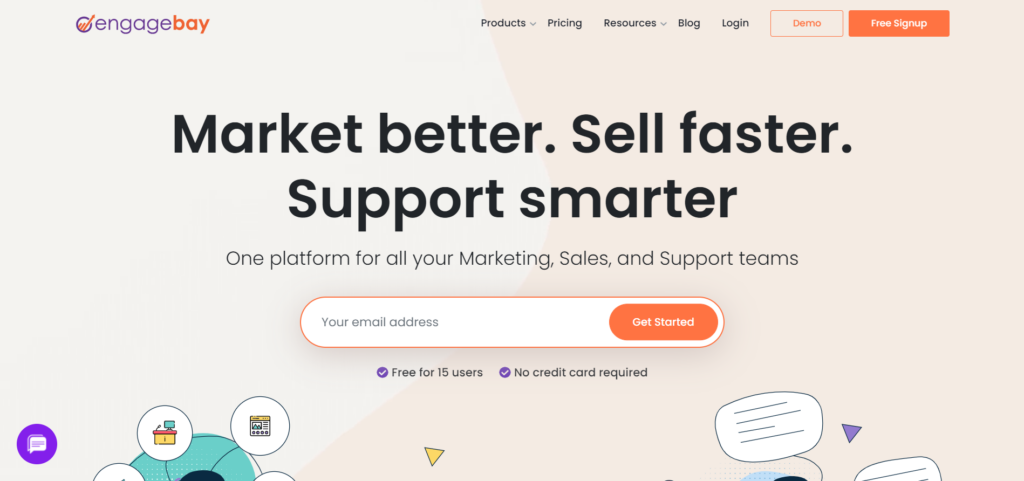
[EngageBay](https://www.engagebay.com/) is the newest CRM in this list, founded in 2017.
It’s an **all-in-one CRM**, spanning everything from CRM to marketing and sales, so you could call it a younger HubSpot. The company even uses the same way to structure its products, with a free CRM at the center and a series of “bays” around it (like the “hubs” of HubSpot”).
The biggest pro of EngageBay is exactly that: you can get everything (and it’s a lot of functionality) in one place.
The free CRM itself of course does not come with a lot of functionality, so if you want something comparable to other CRMs in this list, you’ll **quickly find yourself upgrading** to the paid plans. In that respect, the pricing also becomes quite comparable to most other products in this list (except of course for the significantly higher priced HubSpot and Salesforce products).
The flip side of the coin here is that the interface is **not the prettiest nor the smoothest and that some things do feel a little buggy**, but it’s a young and relatively cheap product that has built a lot of features, so this is definitely not abnormal or surprising.
All in all, EngageBay’s ratings on G2 and Google Play make it land in fourth place in this ranking, just ahead of ActiveCampaign based on the underlying unrounded average. (It **does not have an email plugin** available in the Google Workspace marketplace, so I counted an average 3.9 rating into the score to avoid throwing off the ratings.)
#### Testing it out
When I tried out EngageBay, I was impressed by the range of features available at such an affordable price point. The platform aimed to offer a comprehensive solution, combining CRM, marketing, and sales functionalities. Setting up the system was relatively easy, but as I dug deeper, I noticed some rough edges in the user interface. The experience wasn’t as polished as I would have liked, with occasional bugs and slower performance. Still, for a small business on a tight budget, EngageBay provided a solid array of tools without breaking the bank, even if it wasn’t the smoothest ride.
#### Scoring
EngageBay’s review scoring:
- Ease of Use: 9.2
- Ease of Setup: 9.1
- Meets Requirements: 9.3
- Quality of Support: 9.5
- Ease of Doing Business With: 9.1
- Ease of Admin: 9.2
EngageBay’s review ratings:
- Product (G2): 9.2/10
- Mobile app (Google Play): 4.3/5 → 8.6/10
- Email plugin (Google Workspace): none → average rating of 3.9/5 → 7.8/10
- **FINAL REVIEW SCORE: 8.5/10**
#### Pricing
Price of the Pro plan (Engagebay CRM & Sales Bay Pro):
- **$79.99/user/month** (billed monthly)
- **$73.59/user/month** (billed annually)
- **$67.99/user/month** (billed bi-annually!)
---
### [5\. ActiveCampaign \[8.5/10\]](https://www.activecampaign.com/feature/sales-crm)
**Best for:** small businesses where sophisticated email marketing and automation matter more than having the deepest dedicated CRM.

ActiveCampaign is an email marketing/automation platform, founded in 2003. It now brands itself as a **customer experience automation (CXA)** platform, to cover its expanding range of functionality.
ActiveCampaign added a small business CRM to its offering in 2014, as a sales focused add-on to the rest of the platform. This **integration** between email automation and CRM is probably its main forte.
Setting up ActiveCampaign is not a light task and its software may become **overwhelming**, while the CRM aspect itself on the other hand **will not be as feature rich** compared to the other CRMs in this list.
When people compare ActiveCampaign to Salesflare, which also offers automated emails and email sequences, my advice is usually simple: if you’re an ecommerce company or B2C company, or you need very complex or very high volume email automation, ActiveCampaign is probably what you’re looking for. If you’re a B2B company with an active sales team and the need to automate more personal emails, then go with [Salesflare](https://salesflare.com).
#### Testing it out
Testing ActiveCampaign was a bit of a mixed bag. The platform excelled in email marketing automation, with powerful tools for segmenting contacts and setting up complex sequences. However, as I shifted focus to the CRM side of things, I noticed it wasn’t as fully developed as I had hoped. The CRM felt like an add-on rather than a core feature, and setting up the system required a significant investment of time. While it worked well for automating high-volume email campaigns, I found the CRM functionalities lacking in depth compared to dedicated CRM platforms, making it a better fit for companies prioritizing email over sales management.
#### Scoring
ActiveCampaign’s G2 review scoring:
- Ease of Use: 8.7
- Ease of Setup: 8.5
- Meets Requirements: 9.1
- Quality of Support: 9.1
- Ease of Doing Business With: 9.2
- Ease of Admin: 8.7
ActiveCampaign’s review ratings:
- Product (G2): 8.9/10
- Mobile app (Google Play): 4.3/5 → 8.6/10
- Email plugin (Google Workspace): 4.0/5 → 8.0/10
- **FINAL REVIEW SCORE: 8.5/10**
#### Pricing
Price of the Pro plan (ActiveCampaign Pro plan with the “Enhanced CRM” add-in that includes “Pipelines & sales engagement”):
- **$260/month** (billed annually, with max. 2500 contacts & 6 users included)
- **$294/month** (billed monthly, with max. 2500 contacts & 6 users included)
---
### [6\. Freshworks CRM \[8.3/10\]](https://www.freshworks.com/crm/sales/)
**Best for:** small businesses that want a broad set of sales features and do not mind a somewhat heavier product.

Freshworks CRM is a [sales CRM](https://blog.salesflare.com/) from Freshworks, the company behind / initially called Freshdesk. Freshworks was founded in 2010 to provide a better, cheaper solution for **customer service** teams.
Freshworks’ main selling point is its **feature depth**. It has also managed to offer this range of functionality through an easier to use interface than its competitors/predecessors from the same city (Chennai, India), Zoho.
The flip side here is that the software does feel **quite bulky** and that the functionality feels like its built too fast to be really well thought through. If **complex** software frustrates you, it probably isn’t for you.
If you’re in for its most basic plan, the price-functionality ratio is comparable to the more normally priced small business CRMs in this list. The **pricing however ramps up very quickly** from there as you need more functionality (or more than 1 pipeline, 5 sequences, …).
[Salesflare](https://salesflare.com) doesn’t often get compared to Freshworks CRM, but when it happens, it’s people weighing getting something that their team will love to use, against something that checks off a few more of the boxes on their specs list.
#### Testing it out
Trying out Freshworks CRM, I was struck by the depth of features offered. The platform felt comprehensive, covering everything from lead management to sales pipelines. However, as I navigated through the system, it started to feel a bit bulky. The interface, while feature-rich, wasn’t as intuitive as I’d hoped, and I often found myself digging through menus to find what I needed. The software seemed to be built with larger teams in mind, which made it feel a bit over-engineered for a small business setup. That said, if you’re looking for a CRM with extensive functionality and don’t mind a bit of complexity, Freshworks could be a strong contender.
#### Scoring
Freshworks CRM’s G2 review scoring:
- Ease of Use: 9.1
- Ease of Setup: 8.9
- Meets Requirements: 8.9
- Quality of Support: 9.0
- Ease of Doing Business With: 9.1
- Ease of Admin: 9.4
Freshworks CRM’s review ratings:
- Product (G2): 9.0/10
- Mobile app (Google Play): 3.8/5 → 7.6/10
- Email plugin (Google Workspace): 4.2/5 → 8.4/10
- **FINAL REVIEW SCORE: 8.3/10**
#### Pricing
Price of the Pro plan (Freshsales Pro):
- **$39/user/month** (billed annually)
- **$47/user/month** (billed monthly)
---
### [7\. Zoho CRM Plus \[7.7/10\]](https://www.zoho.com/crm/crmplus/)
**Best for:** price-sensitive small businesses that want a broad suite of business tools and can live with a less polished user experience.

Zoho Corporation is a software development company, founded in 1996 (coincidentally in the same city as Freshworks above), which is behind an **extremely wide range of software products**.
It launched a small business CRM product in 2005, which has historically been positioning itself as a **cheaper alternative** to Salesforce. And that’s immediately its biggest strength.
The pinnacle of its offering is Zoho One, which gives you access to 40+ of its “business apps” for $105/user/month (or $45 if you get it for ALL your employees). Talk about cheap!
The flip side is that Zoho’s products **don’t feel user friendly**. While the engineering team does churn out a lot features for a low price, the user experience is generally lacking.
Still, if you can’t resist a good deal, Zoho has a whole lot to offer you. Or, if you’ve already tried Zoho and **didn’t love it**, [give Salesflare a try](https://salesflare.com).
#### Testing it out
Testing Zoho CRM Plus, I was drawn to the value proposition of getting so many features for such a low price. The range of tools available was impressive, from CRM to analytics, but the user experience left much to be desired. The interface felt dated and navigating through the various options was not as intuitive as with other CRMs I’ve tried. While Zoho offers a lot on paper, actually using the platform was a bit of a chore. The steep learning curve and clunky user interface made it challenging to fully leverage the platform’s capabilities, though the cost savings were undeniable.
#### Scoring
Zoho CRM’s review scoring:
- Ease of Use: 8.1
- Ease of Setup: 7.6
- Meets Requirements: 8.2
- Quality of Support: 7.4
- Ease of Doing Business With: 7.9
- Ease of Admin: 7.8
Zoho CRM’s review ratings:
- Product (G2): 7.8/10
- Mobile app (Google Play): 4.2/5 → 8.4/10
- Email plugin (Google Workspace): 3.5/5 → 7.0/10
- **FINAL REVIEW SCORE: 7.7/10**
#### Pricing
Price of the Pro plan (Zoho CRM Plus):
- **$57/user/month** (billed annually)
- **$69/user/month** (billed monthly)
---
### [8\. Pipedrive \[6.6/10\]](https://www.pipedrive.com/)
**Best for:** small sales teams that want straightforward pipeline management and are comfortable with more manual data entry.

Pipedrive is a [**dedicated sales CRM**](https://blog.salesflare.com/). It was founded in 2011 in Estonia as a counterreaction to enterprise CRMs like Salesforce, which are built more for enterprise needs than they are for [managing sales teams](https://blog.salesflare.com/best-sales-management-software).
Pipedrive’s power is its **simple and well considered user experience**, especially when it comes to its older functionality. It makes data input and keeping track of activities easier, albeit still very manual.
Its main weakness is that it **has become a bit stale**, with a more limited mobile app, lacking basic automation (e.g. of data input), a wonky [email integration](https://blog.salesflare.com/best-email-crm-integration), and a set of more recent functionality that is not as thoughtfully built anymore.
At some point in time, we positioned **Salesflare as “Pipedrive without the typing”** (check [this TechCrunch video](https://www.youtube.com/watch?v=mxNsBGm5RTs) for instance). We did this because like Salesflare, Pipedrive is built for sales teams, is easy to use, and easy to set up.
The main difference is that, unlike Pipedrive, [Salesflare](https://salesflare.com) was built from the ground up to automate your team’s data input, which also makes it easy to keep it alive / up to date… so you can reap all the benefits you’d expect to get from a CRM. Because, after all, **a CRM is only useful if you keep using it**.
#### Testing it out
When I tested Pipedrive, I appreciated the simplicity and focus on sales management. The user interface was clean, and the pipeline view made it easy to keep track of where each deal stood. However, as I continued using it, I noticed that while it was great for basic sales tasks, it lacked the automation and integration capabilities that other CRMs offered. The platform felt a bit outdated, and I often found myself wishing for more modern features, especially on the mobile app and email integration front. Overall, Pipedrive worked well for straightforward sales tracking, but it didn’t offer the depth or innovation that I expected in a modern CRM.
#### Scoring
Pipedrive’s G2 review scoring:
- Ease of Use: 8.9
- Ease of Setup: 8.7
- Meets Requirements: 8.4
- Quality of Support: 8.4
- Ease of Doing Business With: 8.7
- Ease of Admin: 8.6
Pipedrive’s review ratings:
- Product (G2): 8.6/10
- Mobile app (Google Play): 3.3/5 → 6.6/10
- Email plugin (Google Workspace): 2.3/5 → 4.6/10
- **FINAL REVIEW SCORE: 6.6/10**
#### Pricing
Price of the Pro (Premium) plan:
- **$59/seat/month** (billed annually)
- **$79/seat/month** (billed monthly)
---
## Which CRM to Pick for Which Type of Small Business
The review score is only one part of the decision. Here’s the practical small-business fit of each CRM in one line:
1. **[Salesflare \[9.7/10\]](https://salesflare.com) 🏆**: your team will actually use it (but the transparency created may be too high for some teams)
2. **Salesforce \[8.7/10\]**: you’ll be able to customize everything (but it won’t be made for small businesses and for sales teams)
3. **HubSpot CRM & Sales Hub \[8.6/10\]**: you’ll have everything in one place (but it’ll get extremely expensive for a suite of tools that is not on par with what you get when you buy the specialized tools separately)
4. **EngageBay CRM & Sales Bay \[8.5/10\]**: you’ll have everything in one place for little money (but what you pay is also what you get)
5. **ActiveCampaign \[8.5/10\]**: you’ll get advanced email automation (but the CRM part won’t be as developed as with the others in the list)
6. **Freshworks CRM \[8.3/10\]**: you’ll get a ton of functionality (but it may get a bit bulky and complex)
7. **Zoho CRM Plus \[7.7/10\]**: you’ll get a lot of functionality for a low price (but it won’t be user friendly)
8. **Pipedrive \[6.6/10\]**: you’ll get something that is made for sales teams (but that has become a bit stale)
Don’t take my word for it however. I’m very well informed, but also a little biased. 😄
For a longer breakdown with screenshots and testimonials that covers Salesforce, Zoho, HubSpot, Pipedrive and Salesflare, [check out this ultimate comparison](https://blog.salesflare.com/compare-salesforce-zoho-hubspot-pipedrive).
And know that, in the end, **your priorities will define what’s the best choice for YOU**.
Still, before I leave you with some practical advice on [how to pick](https://blog.salesflare.com/how-to-choose-crm) and [implement](https://blog.salesflare.com/crm-implementation) the right one, let me share with you **why I believe the best small business CRM is the one your sales team actually uses**.
---
## Why CRM Adoption Matters More for Small Businesses
Small businesses rarely have a dedicated CRM administrator whose job is to clean up data and chase people to update records. If the team does not naturally keep the CRM alive, the system deteriorates quickly.
A study by CSO Insights reveals that 43% of CRM customers **use fewer than half of the features** of their CRM.
Another startling statistic from a Staples Workplace study is that 70% of staff say poorly performing technology is a drain on **productivity rates**; the most important factor, ahead of burn-out, illness and office politics. 😣
And it’s not just about not using certain features, or seriously hurt productivity, it’s about much more. A CRM that isn’t properly used by the sales team causes a **long series of very serious issues**:
- When somebody leaves, you have to start building a lot of customer relationships again from scratch
- When somebody is sick, it’s very hard to replace them
- Coaching your sales team and helping them do better is very hard, as you have very little to base yourself on
- Creating up-to-date revenue forecasts requires a lot of work/nagging
- Collaborating within the sales team or between the sales and marketing teams is 10x harder
- …
That’s why, according to CSO Insights, 72% of senior executives would trade **more ease of use for less functionality**, and, according to Inside CRM, 65% of sales professionals find **[ease of use the most important CRM feature](https://blog.salesflare.com/)**. ✨
In conclusion, if your sales team doesn’t use the CRM, it’s not very useful to have one.
Now, how do you make sure you **pick and implement a CRM so they WILL use it**? 👇
---
## 3 Steps to CRM Success for Small Businesses
Based on many years of helping customers be successful, here’s my **3-step advice** for a small business to pick the right CRM and actually get value from it:
1. **Figure out what you need a CRM for.** Many businesses will just type “CRM” into Google. What they’ll typically end up with is one of the 650+ CRMs that has the deepest pockets, which gets it visibility at the top of search and review listings, not the one that is best for them. If you’re in real estate, you’ll need something else than when you’re in ecommerce, or when you have a nail salon, or [when you’re in B2B sales](https://blog.salesflare.com/).
2. **Involve your sales team in the decision.** Don’t [choose a CRM](https://blog.salesflare.com/how-to-choose-crm) by yourself and impose it on your sales team. Chances are high they won’t use it, which will render the CRM useless. Instead, make a shortlist and get them to actually use those CRMs. If they see themselves using the CRM, you’re way more likely they’ll start and keep using it. Plus, you have their buy-in.
3. **Train the team on what it does and [HOW you’ll use it](https://blog.salesflare.com/how-to-use-crm) as a team.** Training the team on what the CRM can do is essential, so your team can use it to its fullest potential. Still, you’re setting yourself up for failure if you don’t also decide how you’re going to use it as a team. If everybody uses the system differently, it’s hard to collaborate or make sense of the data. Take a few moments to come up with some guidelines, and you’ll have again maximized your chances for success.
If you follow all 3 steps, you’re immediately **ahead of 99% of other small businesses**, as my experience tells me they all seem to skip at least one of them! 🥇
Want more guidance? Let us know! Our team is here to help. Even if you don’t end up picking [Salesflare](https://salesflare.com).
---
## FAQ
### What is the best CRM for a small company?
Based on a comprehensive analysis of user reviews and features, Salesflare is ranked the best CRM for small businesses, especially for those in B2B sales. The best choice ultimately depends on your specific needs: for example, a marketing-focused business might prefer HubSpot. However, for active sales teams, Salesflare stands out because it’s designed to be so easy and automated that your team will actually use it.
### What is CRM for a small business?
For a small business, a CRM (Customer Relationship Management) system is a tool to organize all your customer data, track sales leads, and manage communication in one place. It helps you build stronger relationships and ensures that important follow-ups and opportunities don’t get lost, which is crucial for growth. It moves you beyond messy spreadsheets to a professional, scalable system.
### Which CRM is free for small business?
Several CRMs, including HubSpot and EngageBay, offer free plans for small businesses. These are a great way to get started with basic contact management. However, these free versions are often limited, and to access essential sales features like email sequences or multiple sales pipelines, you typically need to upgrade to an expensive paid plan. It’s better to get an affordable CRM that best fits your needs.
### Should a small business use a CRM?
Yes, absolutely. Not using a CRM can cause serious issues, such as losing customer relationships when an employee leaves, poor team productivity, and an inability to forecast revenue accurately. A CRM provides a central source of truth that makes your business more organized, professional, and prepared for growth. It’s a foundational tool for any serious small business.
### What should a small business look for in CRM software?
A small business should look beyond the feature list and compare total cost, setup and administration effort, ease of adoption, automation of manual data entry, integrations with the tools the team already uses, and the ability to scale without unnecessary complexity. The best CRM is one that fits the way your business sells and that your team can realistically keep using every day.
---
_I hope you liked this post. If you did, spread the word!_
👉 _You can follow @salesflare on_ _[Twitter](https://twitter.com/salesflare)_, _[Facebook](https://www.facebook.com/salesflare/)_ _and_ _[LinkedIn](https://www.linkedin.com/company/salesflare)._
---
## Related
- [7 Best Salesforce Competitors for Small Business](https://blog.salesflare.com/best-salesforce-competitor.md)
- [Salesforce vs HubSpot vs Zoho vs Pipedrive: CRM Comparison 2026](https://blog.salesflare.com/compare-salesforce-zoho-hubspot-pipedrive.md)
- [8 CRM Examples: The Best CRM for Every Use Case](https://blog.salesflare.com/crm-examples.md)
- [Choosing a CRM: Practical Guide with Process, Criteria & Checklist](https://blog.salesflare.com/how-to-choose-crm.md)
- Previous: [8 Best CRMs for Gmail + Top Features](https://blog.salesflare.com/best-crm-for-gmail.md)
- Next: [8 Best Simple CRMs in 2026](https://blog.salesflare.com/best-simple-crm.md)