# Less work. More data.

> Reduce time spent on data entry with more than 70%. Salesflare is a top sales automation tool that helps salespeople to sell more effectively.

Source: https://blog.salesflare.com/less-work-more-data-6820c61654c5
Language: en
Published: 2017-03-05  ·  Updated: 2017-10-24

---
<!-- QUARANTINED — not auto-converted.
     Medium import: .graf markup (one of the 50 identified in FINDINGS)
     Body below is the chrome-stripped source HTML, awaiting hand conversion. -->

<h2 id="d794" class="graf graf--h3 graf-after--figure">Keep your customer data in custom&nbsp;fields</h2>
<p id="f5f9" class="graf graf--p graf-after--h3">From now on you can store <strong class="markup--strong markup--p-strong">*all* your customer data</strong> in Salesflare.</p>
<p id="c301" class="graf graf--p graf-after--p">Just add some custom fields.</p>
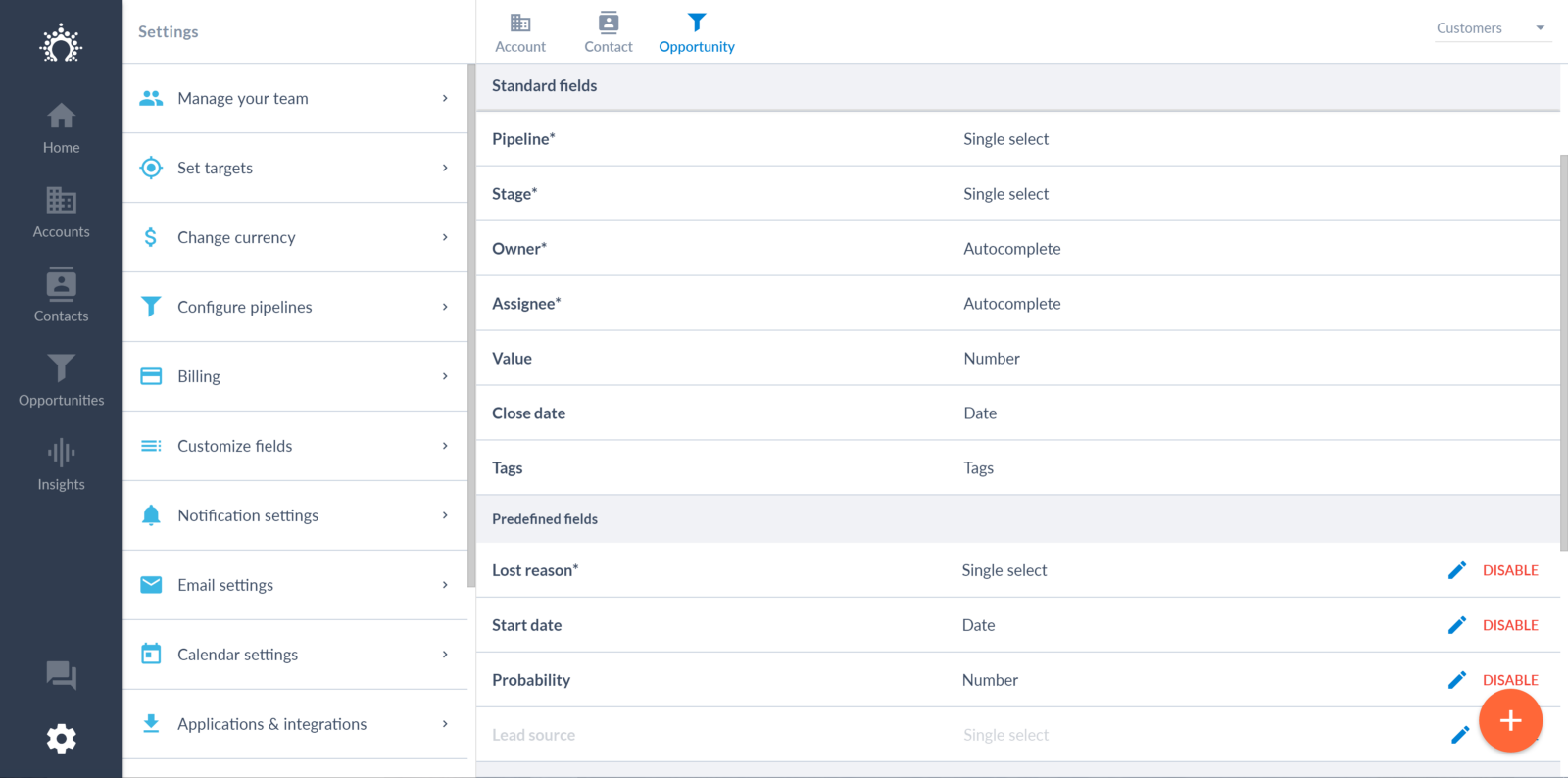
<p id="f687" class="graf graf--p graf-after--p">We already support the <strong class="markup--strong markup--p-strong">following types</strong>: short text, long text, number, single select, multiselect, autocomplete, tags, dates, and URLs.</p>
<p id="c7df" class="graf graf--p graf-after--p">On top of that, we’ve added some <strong class="markup--strong markup--p-strong">predefined fields</strong>. Why?</p>
<ul class="postList">
<li id="c43c" class="graf graf--li graf-after--p">They come with a <strong class="markup--strong markup--li-strong">standard list</strong> of options</li>
<li id="2937" class="graf graf--li graf-after--li">You can <strong class="markup--strong markup--li-strong">report</strong> on them</li>
<li id="4ff0" class="graf graf--li graf-after--li">They come with <strong class="markup--strong markup--li-strong">built-in logic</strong></li>
</ul>
<p id="ebdd" class="graf graf--p graf-after--li">The following predefined fields have been added:</p>
<ul class="postList">
<li id="cd54" class="graf graf--li graf-after--p"><strong class="markup--strong markup--li-strong">Lost reason</strong>: Indicate why you lost an opportunity and report on it. This field was standard before, but can now be turned off if you don’t like it.</li>
<li id="fd06" class="graf graf--li graf-after--li"><strong class="markup--strong markup--li-strong">Start date</strong>: Did you create an opportunity way before it started? There’s a start date field to make sure it appear in the right way in the reporting, with the correct sales cycle duration.</li>
<li id="97fd" class="graf graf--li graf-after--li"><strong class="markup--strong markup--li-strong">Lead source</strong>: Want to keep where your leads are coming from? Add a lead source.</li>
<li id="858a" class="graf graf--li graf-after--li"><strong class="markup--strong markup--li-strong">Probability on individual opportunities</strong>: Are stage level probabilities not enough for you? Then turn on the probability field on opportunities.</li>
</ul>
<p id="ae57" class="graf graf--p graf-after--li">Thinking of other predefined fields we could add? Just shout!</p>
<figure id="c317" class="graf graf--figure graf-after--p graf--trailing">
<div class="aspectRatioPlaceholder is-locked"><img decoding="async" class="graf-image alignnone" src="https://blog.salesflare.com/wp-content/uploads/2017/03/1KnP-XfxYD1izv3JHu29Tcw-2.png" alt="Opportunity fields on Salesflare CRM platform" width="1600" height="794"></div><figcaption class="imageCaption">Keep your customer data in custom&nbsp;fields.</figcaption></figure>

<hr class="section-divider">

<h2 id="a4c4" class="graf graf--h3 graf--leading">Log in &amp; sign up with your email&nbsp;account</h2>
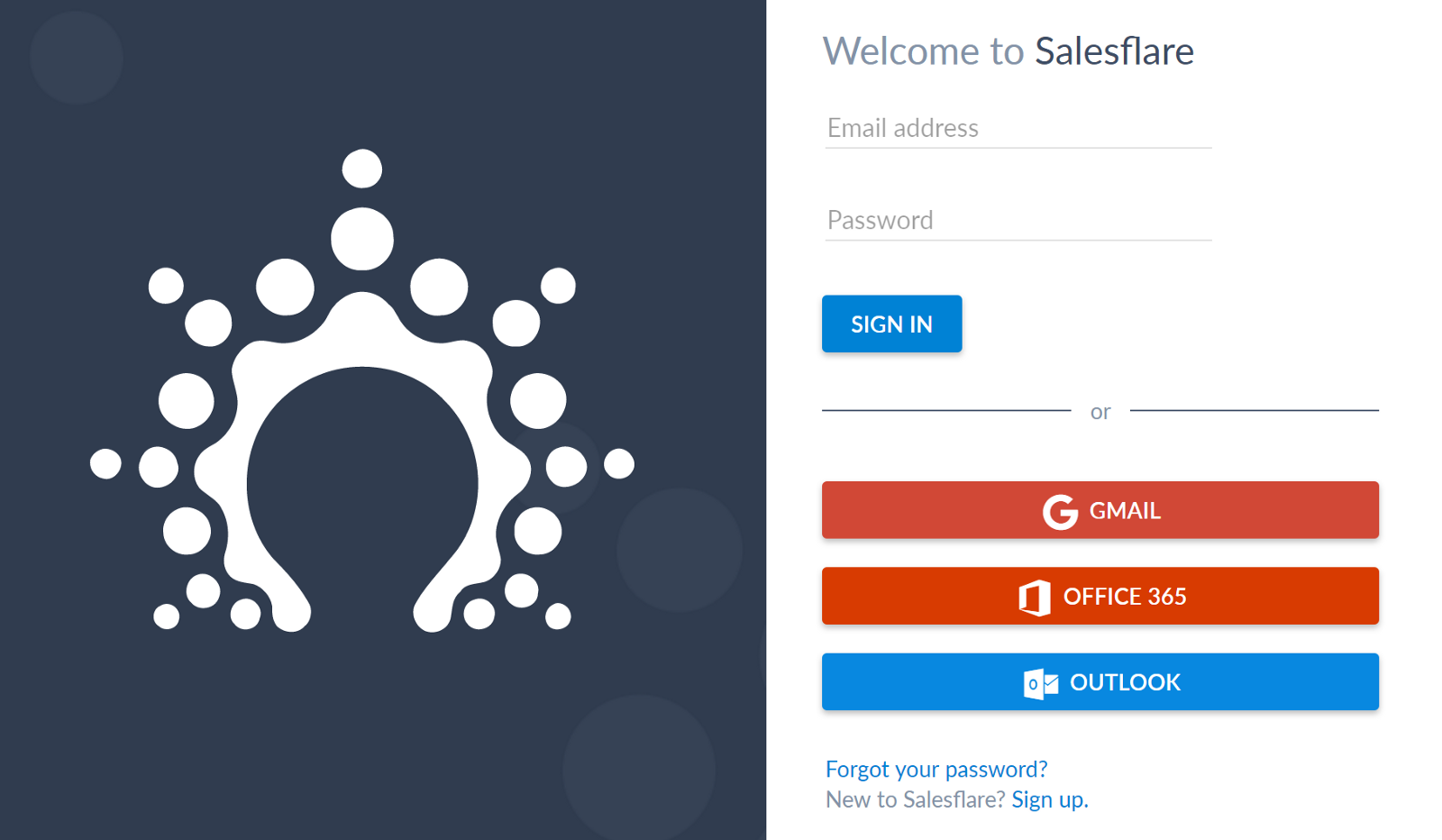
<p id="5baa" class="graf graf--p graf-after--h3">Are you a<strong class="markup--strong markup--p-strong"> Google, Office365 or Outlook.com</strong> user? Then you’re in luck.</p>
<p id="0bc2" class="graf graf--p graf-after--p">No need to fill out or remember your Salesflare password anymore. You can just sign up or log in with your email account.</p>
<figure id="605b" class="graf graf--figure graf-after--p graf--trailing">
<div class="aspectRatioPlaceholder is-locked"><img decoding="async" class="graf-image alignnone" src="https://blog.salesflare.com/wp-content/uploads/2017/03/1m0Co68XdyMmGbKtdxxipUQ-2.png" alt="Salesflare email integration with gmail, office 365 and outlook" width="1600" height="932"></div><figcaption class="imageCaption">Log in &amp; sign up with your email&nbsp;account</figcaption></figure>

<hr class="section-divider">

<h2 id="1ce0" class="graf graf--h3 graf--leading">Know your new&nbsp;contacts</h2>
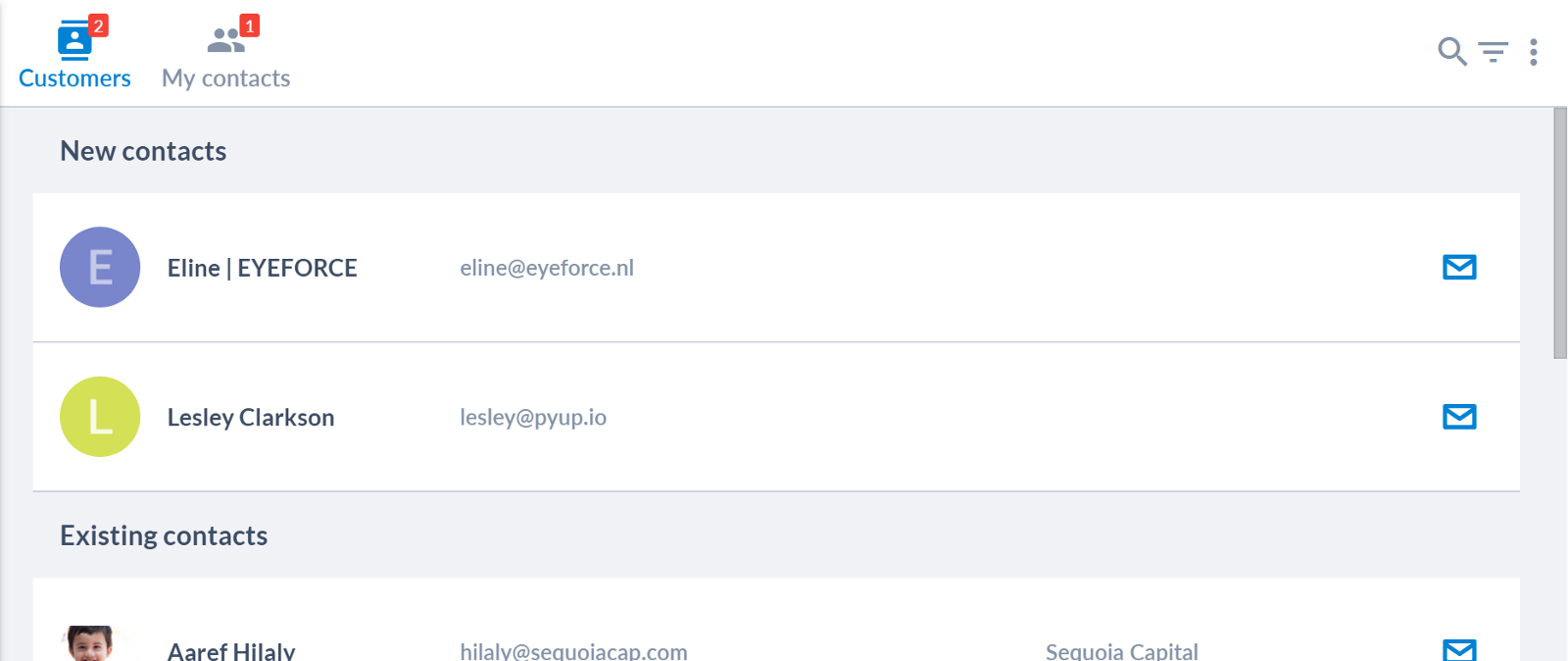
<p id="7d4b" class="graf graf--p graf-after--h3">Do you sometimes wonder who you recently came in contact with?</p>
<p id="acc6" class="graf graf--p graf-after--p">From now on, Salesflare shows <strong class="markup--strong markup--p-strong">how many new contacts</strong> you have. And <strong class="markup--strong markup--p-strong">which ones</strong>.</p>
<p id="ea3e" class="graf graf--p graf-after--p">Check out the red indications on the contact tabs.</p>
<figure id="0243" class="graf graf--figure graf-after--p graf--trailing">
<div class="aspectRatioPlaceholder is-locked"><img decoding="async" class="graf-image alignnone" src="https://blog.salesflare.com/wp-content/uploads/2017/03/16X5sUiS56jYqmtBLzoEQwA-2.png" alt="New contact list on Salesflare CRM platform" width="1600" height="674"></div><figcaption class="imageCaption">Know how many new contacts you have. And which&nbsp;ones.</figcaption></figure>

<hr class="section-divider">

<h2 id="0f7e" class="graf graf--h3 graf--leading">Create accounts from&nbsp;contacts</h2>
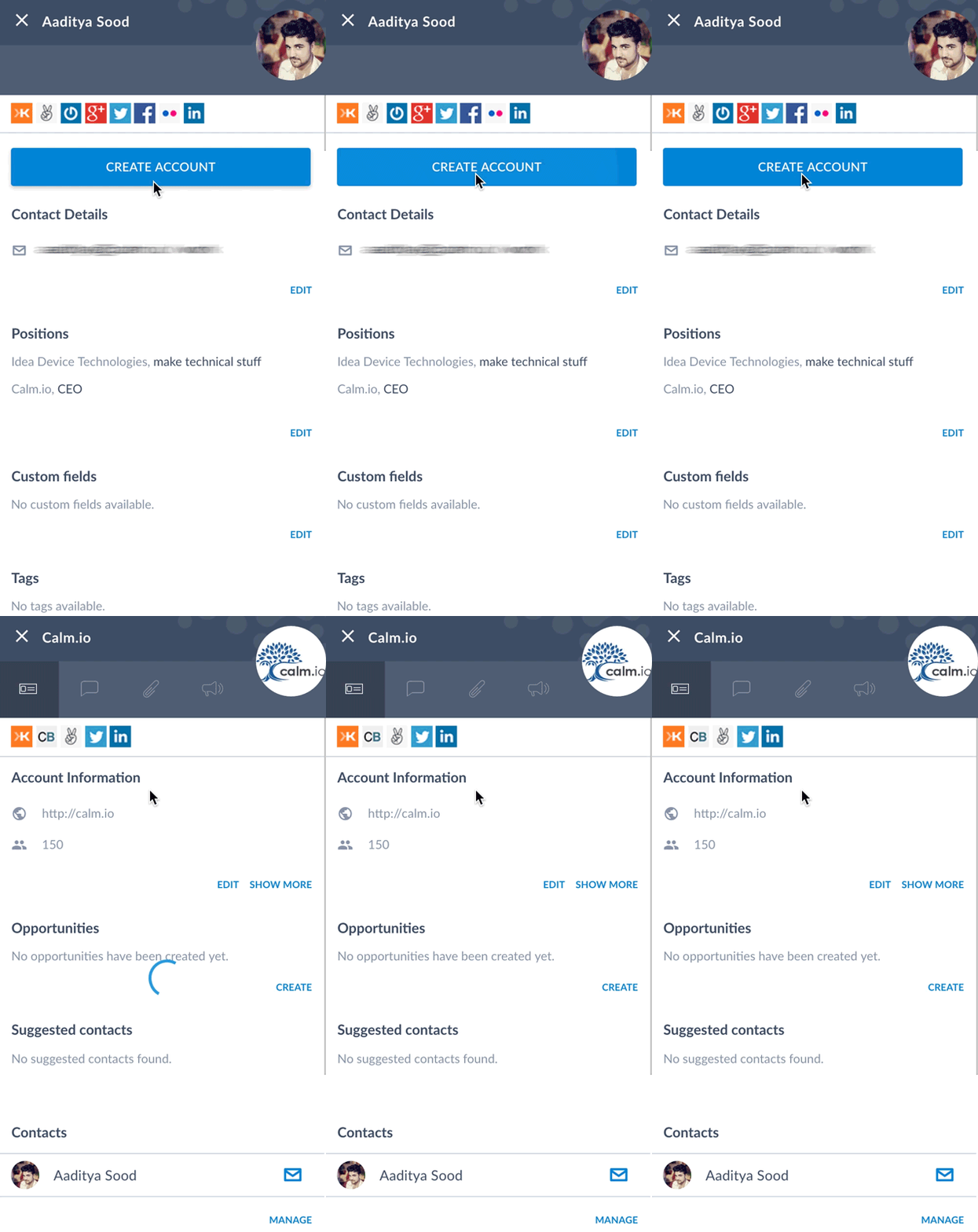
<p id="14d5" class="graf graf--p graf-after--h3">People asked us whether it would be possible to create an account from a contact. Now it is!</p>
<p id="1c8b" class="graf graf--p graf-after--p">Just open a contact who is not part of an account yet, and click the “Create account” button. An account will be created with that contact, <strong class="markup--strong markup--p-strong">prefilled with all the available information</strong>.</p>
<figure id="7c15" class="graf graf--figure graf-after--p graf--trailing">
<div class="aspectRatioPlaceholder is-locked"><img decoding="async" class="graf-image alignnone" src="https://blog.salesflare.com/wp-content/uploads/2017/03/1kTkNXb3AQSUQcIHAMs8ywQ-2.gif" alt="Create account from contact on Salesflare CRM platform" width="424" height="800"></div><figcaption class="imageCaption">Create accounts from contacts.</figcaption></figure>

<hr class="section-divider">

<h2 id="0c82" class="graf graf--h3 graf--leading">Delete contacts</h2>
<p id="71bf" class="graf graf--p graf-after--h3">Up till now you could not delete a contact, because it has great implications on the automation. It is possible now.</p>
<p id="d3b1" class="graf graf--p graf-after--p graf--trailing">And: Salesflare keeps the <strong class="markup--strong markup--p-strong">full history with deleted contacts</strong>, so you never forget what you discussed.</p>

<hr class="section-divider">

<h2 id="a71f" class="graf graf--h3 graf--leading">Accept all suggestions in one&nbsp;click</h2>
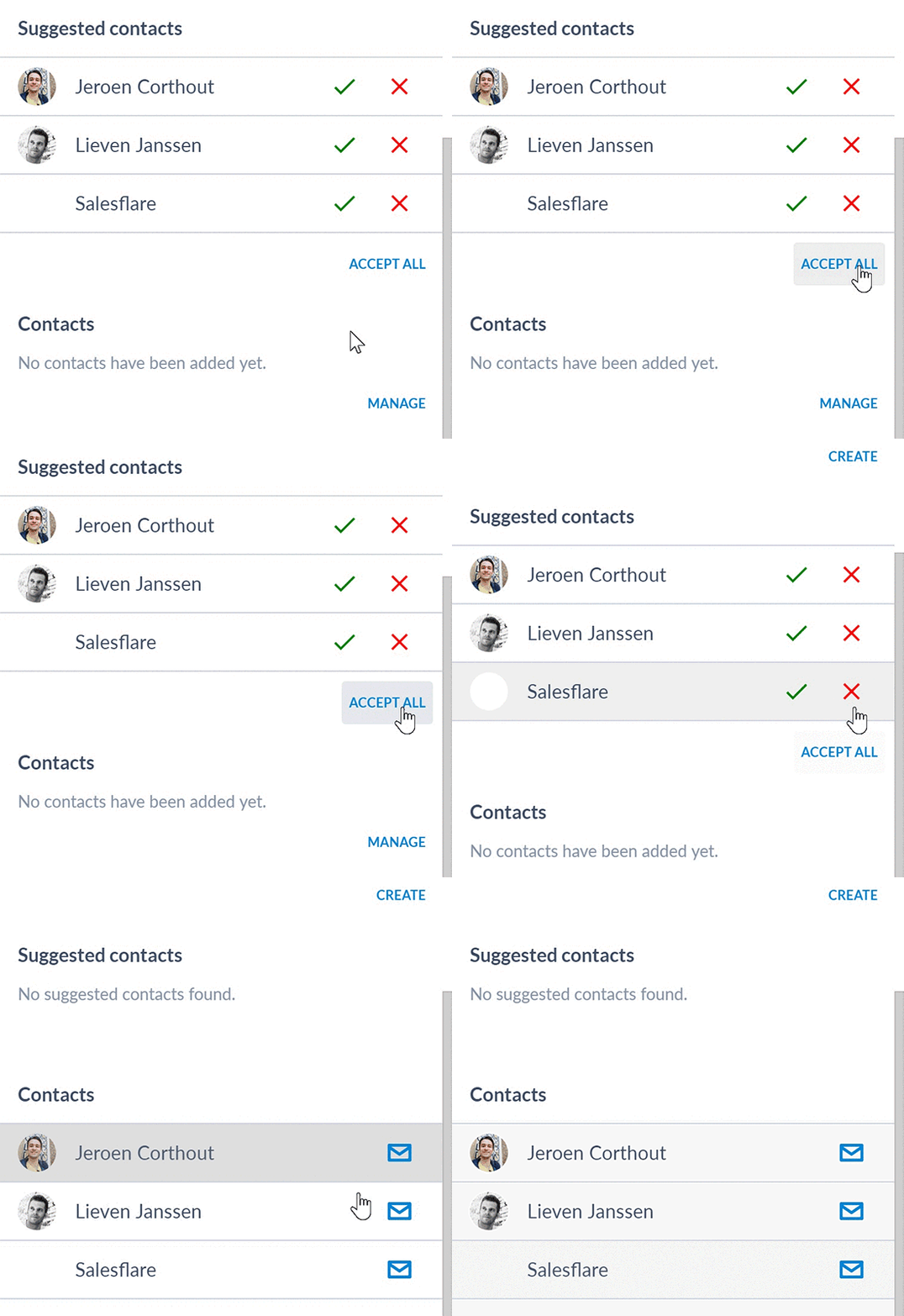
<p id="e913" class="graf graf--p graf-after--h3">Have a ton of suggestions on an account? Just click <strong class="markup--strong markup--p-strong">“Accept all”</strong>.</p>
<p id="6206" class="graf graf--p graf-after--p">Have a few that you don’t want to accept? Then you can reject them first by clicking on the red crosses.</p>
<figure id="f816" class="graf graf--figure graf-after--p graf--trailing">
<div class="aspectRatioPlaceholder is-locked"><img decoding="async" class="graf-image alignnone" src="https://blog.salesflare.com/wp-content/uploads/2017/03/1PgueJak8RpFi3RuZhjUh_A-2.gif" alt="Suggested contacts on Salesflare CRM platform" width="550" height="534"></div><figcaption class="imageCaption">Accept all suggestions in one&nbsp;click.</figcaption></figure>

<hr class="section-divider">

<h2 id="37e8" class="graf graf--h3 graf--leading">Chat with us within Salesflare</h2>
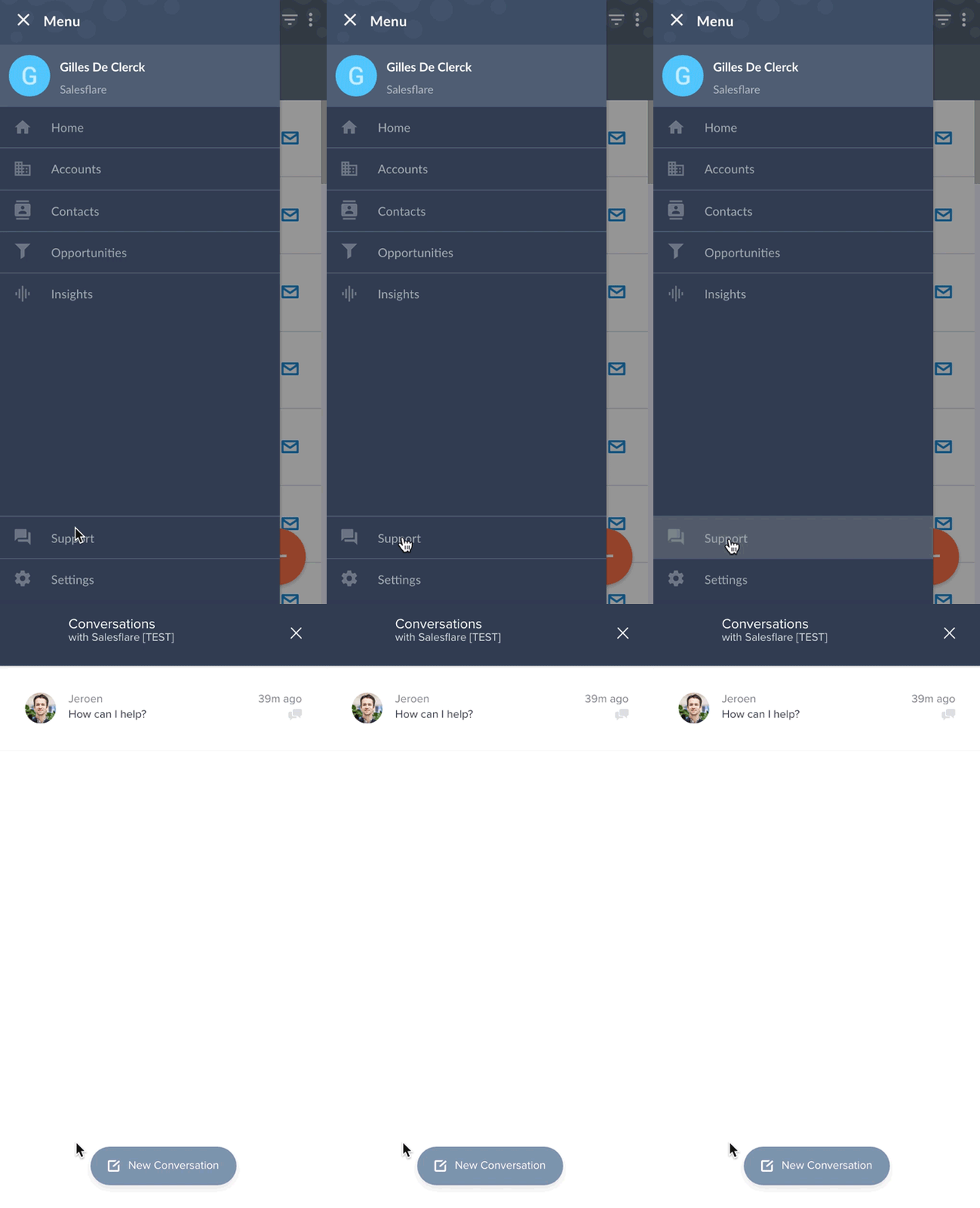
<p id="2cbb" class="graf graf--p graf-after--h3">We’re always there for our users through email, Skype, Twitter, LinkedIn, Facebook Messenger and phone. <strong class="markup--strong markup--p-strong">We communicate the way you like it</strong>.</p>
<p id="65ed" class="graf graf--p graf-after--p">To make it even easier to reach us, you can now chat with us <strong class="markup--strong markup--p-strong">right from the app</strong>. And from the <strong class="markup--strong markup--p-strong">website</strong>.</p>
<p id="c5c5" class="graf graf--p graf-after--p">Just click the “Support” button and we’re happy to help!</p>
<figure id="8138" class="graf graf--figure graf-after--p graf--trailing">
<div class="aspectRatioPlaceholder is-locked"><img decoding="async" class="graf-image alignnone" src="https://blog.salesflare.com/wp-content/uploads/2017/03/1V5aDu4cQh4hKRWa4aJgKjg-2.gif" alt="Responsive support function on Salesflare CRM platform" width="433" height="800"></div><figcaption class="imageCaption">Chat with us within Salesflare.</figcaption></figure>

<hr class="section-divider">

<p id="ef1a" class="graf graf--p graf--leading graf--trailing">Got a question or need help? Feel free to <a class="markup--anchor markup--p-anchor" href="mailto:support@salesflare.com"><strong class="markup--strong markup--p-strong">send feedback</strong></a> or tweet us at <a class="markup--anchor markup--p-anchor" href="https://twitter.com/salesflare">@salesflare</a>.</p>
---

## Related

- [Fill Your Pipeline Faster, Import Smarter](https://blog.salesflare.com/fill-your-pipeline-faster.md)
- [Write Smarter, Work Your Way](https://blog.salesflare.com/write-smarter-work-your-way.md)
- [Follow Up Faster](https://blog.salesflare.com/follow-up-faster.md)
- [Fix It Fast](https://blog.salesflare.com/fix-it-fast.md)
- Previous: [How to sell on social media](https://blog.salesflare.com/how-to-sell-on-social-media-771c4648d568.md)
- Next: [Power up: filters & subscription revenue.](https://blog.salesflare.com/power-up-filters-subscription-revenue-9f06875655a7.md)