# Manage Your Tags
> Salesflare launches a tag manager, which allows you to clean up your tag database at scale, as well as the ability to export reports and dashboards to share them with others.
Source: https://blog.salesflare.com/manage-your-tags
Language: en
Published: 2023-11-09 · Updated: 2023-11-09
---
## A new tag manager & the ability to export insights
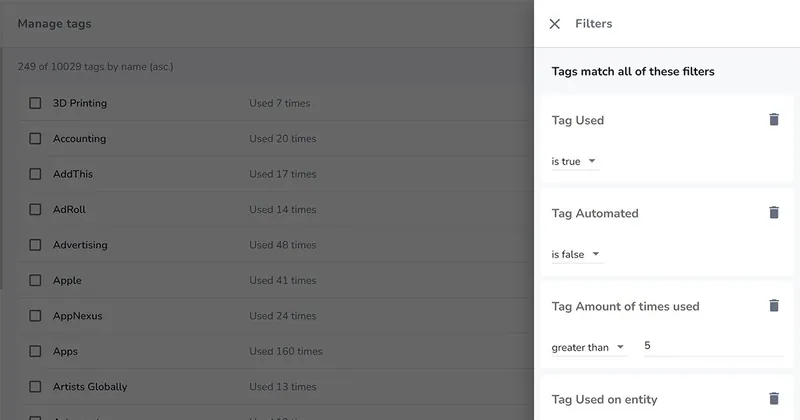
For once, this Salesflare product update is more about managing data than it is about managing customers.
And that is because managing data is the foundation to managing customers better. 🤓
That foundation has now been reinforced with a new tag manager, which will allow you to get a much better grip on your tags, and the ability to export reports and dashboards, so you can easily share them outside Salesflare.
Here’s what’s new! 👇
---
## Manage your tags more easily
If you’re like many others and you’re regularly applying tags, you may now be in a situation where you’d benefit from a little clean up. 🧹
You may want to:
- See which tags you have 👀
- Delete unused tags 🗑️
- Merge similar tags 🪄
- Fix mistyped or misimported tags ✏️
- And, optionally, turn off automated tagging 🤖
All of that is possible with the new tag manager! ✨
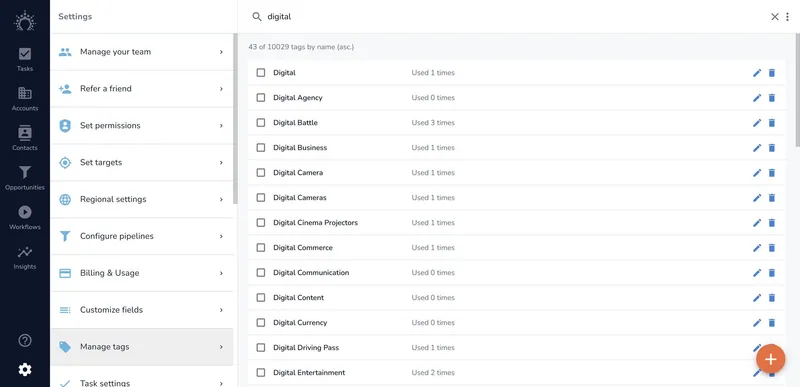
_Easily manage all your tags ✨_
Just head to Settings > Manage tags. 👈
Filters, sort, or search to find the right tags. Find out how many times tags are used and on which entities. Then rename, merge, or delete them.
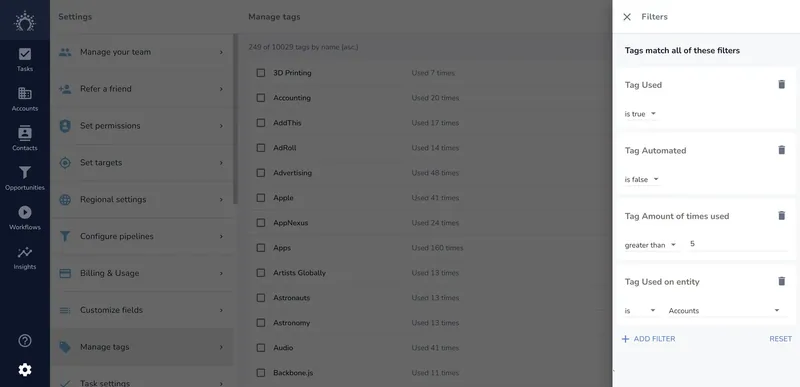
_Filter, sort and search like a pro 🤓_
Additionally, to turn off automated tagging on accounts, click on the three dots at the top right to find the option.
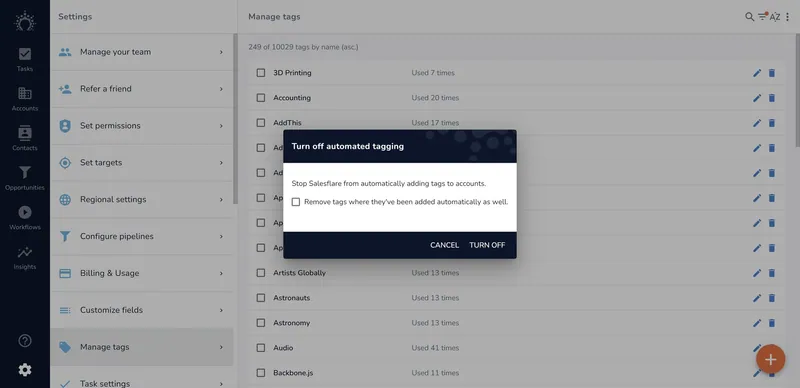
_You can also turn off automated tagging 🤖_
Enjoy!
_⚠️ Do note that if you want to add data to Salesflare, custom fields are often a better option than tags. They allow a cleaner and clearer way to keep information. If you want to categorize accounts for instance, a dropdown or multiselect dropdown will probably do a better job._
---
## Export dashboards and reports
Want to show your dashboards outside Salesflare?
You can now download a report as an image to use it in a PowerPoint. 💾
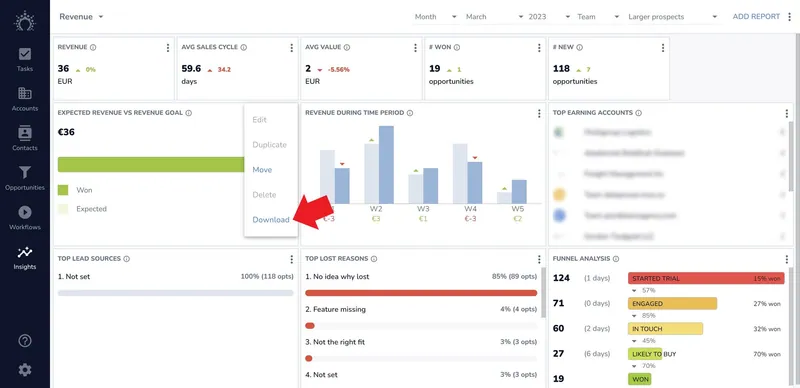
_Download a report as an image 💾_
Or if you want to print the full dashboard, there’s an option for that at the top right of each dashboard. 🖨️
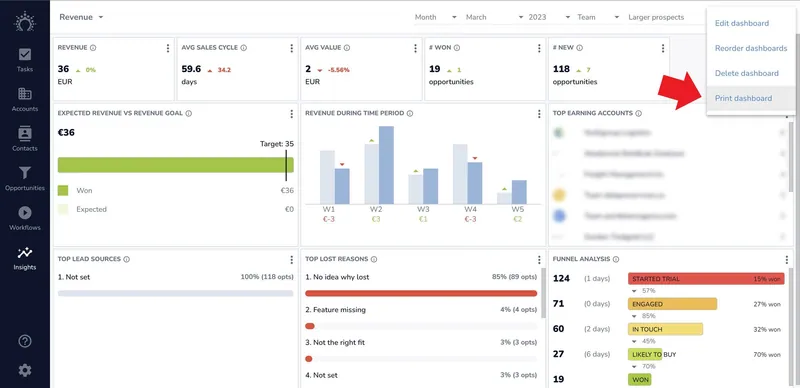
_Print the full dashboard 🖨️_
Let us know how you like it! 😄
---
## Many more improvements and bug fixes
We fixed the bugs you reported, upped the performance in a few places, tweaked some app flows, and much more. As always, keep the feedback coming through the live chat on our homepage — we thrive on it! 😍
---
## Coming up next… 🥁
- Custom fields that can connect anything 🔗
- A new Outlook add-in with broader support 📬
- Future proof website tracking 🌐
- More possibilities to uncover new leads 🕵
---
Ready to power up your sales? Give Salesflare a try.
We’re an easy-to-use sales CRM for small & medium-sized B2B companies that’s chock-full of automation and always up to date!
_We hope you liked this feature update. If you did, follow us on social media!_
👉 _You can follow @salesflare on_ _[Twitter](https://twitter.com/salesflare)_, _[Facebook](https://www.facebook.com/salesflare/)_ _and_ _[LinkedIn](https://www.linkedin.com/company/salesflare)._
---
## Related
- [Trace Any Relationship](https://blog.salesflare.com/trace-any-relationship.md)
- [Fix It Fast](https://blog.salesflare.com/fix-it-fast.md)
- [Save Your Emails](https://blog.salesflare.com/save-your-emails.md)
- [Follow Up Faster](https://blog.salesflare.com/follow-up-faster.md)
- Previous: [How to Generate Leads as a Marketing Agency: a Step-by-Step Guide](https://blog.salesflare.com/lead-gen-for-agency.md)
- Next: [Trace Any Relationship](https://blog.salesflare.com/trace-any-relationship.md)